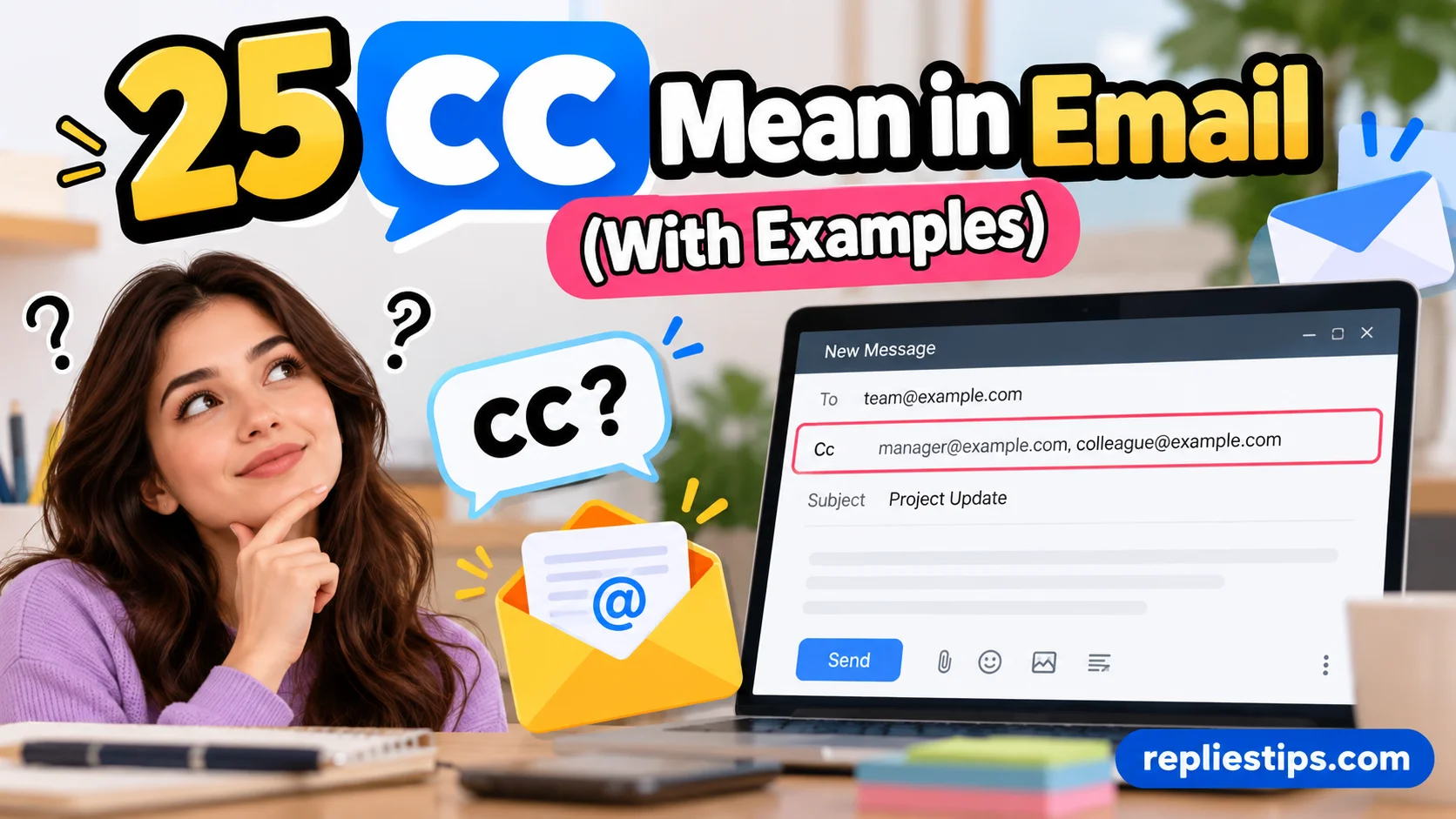
CC Mean in Email (With Examples) explains how CC (carbon copy) lets you send the same email to multiple people. The CC field appears in the email header near the To and BCC fields. It helps with professional communication, team collaboration, and sharing updates with colleagues. Understanding what CC means, how to use it, and the difference between CC and BCC helps you choose the right email communication method.
Using CC correctly is an important part of email etiquette. It keeps relevant recipients informed about team updates, project changes, and professional invitations. However, adding unnecessary people can cause inbox overload, confusion, and unclear responsibilities. Unlike CC, BCC (blind carbon copy) hides recipients’ email addresses from one another. Following proper email guidelines and professional practices helps you maintain clear communication, protect privacy when needed, and avoid common email mistakes.
1. What Does CC Mean in Email?
Meaning: CC stands for Carbon Copy in email communication. It is used when you want someone to receive a copy of an email while another person remains the primary recipient.
Tone: Neutral, professional, and informational.
Example: “I’m sending the report to Sarah and CC’ing David so he can stay updated.”
Best Use: Use CC when another person needs to know about the conversation but does not necessarily need to take action. For example, a manager might email an employee about a project and CC another manager simply to keep them informed. Everyone included in the CC field can generally see the other recipients. This makes CC useful for transparency, project updates, workplace communication, and keeping relevant people in the loop without making them the central audience.
2. Why Is CC Used in Emails?
Meaning: CC is used to keep additional people informed about an email conversation.
Tone: Professional and straightforward.
Example: “I’ve CC’d the accounting team so they are aware of the payment update.”
Best Use: CC is helpful when someone should have visibility into a conversation but is not responsible for handling it. Imagine you are working with a customer and your supervisor wants to monitor the discussion. You can address the customer in the “To” field and place your supervisor in “CC.” This tells the customer who the main communication is directed toward while allowing your supervisor to follow the exchange. Used correctly, CC improves transparency, accountability, and collaboration without creating unnecessary requests for action.
3. CC vs. To in Email
Meaning: The “To” field normally identifies the primary recipients, while CC identifies people who should receive an informational copy.
Tone: Clear and professional.
Example: “To: Project Manager. CC: Design Team.”
Best Use: Understanding the difference between To and CC helps prevent unclear communication. If you expect someone to complete a task, answer a question, or make a decision, they generally belong in the “To” field. If someone only needs to be aware of the conversation, CC may be more appropriate. For example, a project manager may be placed in “To” because approval is required, while a department head may be placed in CC because they only need visibility. This simple distinction can make workplace emails much easier to understand.
4. CC vs. BCC in Email
Meaning: CC makes recipients visible to one another, while BCC means “Blind Carbon Copy” and hides those recipients from the other people receiving the email.
Tone: Informative and professional.
Example: “CC the team when transparency is needed; use BCC when recipient privacy is important.”
Best Use: CC and BCC serve different purposes. If you send an email to John and CC Maria, John can normally see that Maria received the message. With BCC, recipients generally cannot see who else was secretly included. BCC can be useful when sending a message to a large group without exposing everyone’s email addresses. However, it should not be used to secretly involve someone in a sensitive workplace conversation without considering the communication context. Knowing the difference between CC and BCC helps you choose the right email field.
5. What Does CC Mean in a Professional Email?
Meaning: In a professional email, CC means that another person is being included to stay informed.
Tone: Formal, transparent, and businesslike.
Example: “I’ve CC’d our project coordinator for visibility.”
Best Use: Professional communication often involves multiple people with different responsibilities. CC helps maintain a clear information trail. For example, if an employee discusses a deadline with a client, they may CC their supervisor so the supervisor knows what was agreed upon. The supervisor does not necessarily need to respond, but being included keeps them informed. This can support workplace accountability and reduce situations where someone later says they were unaware of an important decision. Still, unnecessary CCs can clutter inboxes, so you should include only people who genuinely benefit from receiving the message.
6. CC Meaning in Business Email
Meaning: In business email, CC indicates that an additional person or department is receiving a copy for awareness.
Tone: Professional and efficient.
Example: “I’ve CC’d our finance department regarding the invoice.”
Best Use: Businesses frequently use CC for internal coordination, client communication, approvals, and project updates. Suppose a salesperson emails a customer about an order and CCs the billing department. The customer knows billing has visibility, while the billing team can monitor the situation without becoming the primary conversational partner. CC can also create a useful record of who was informed. However, business professionals should avoid adding large numbers of people simply to protect themselves or create unnecessary visibility. Good email etiquette means thinking carefully about who actually needs the information.
7. CC Meaning in Work Emails
Meaning: CC in a work email usually means that someone is included because they need to remain updated.
Tone: Professional and collaborative.
Example: “I’ve CC’d James so he can follow the project discussion.”
Best Use: Workplaces often involve teams where not everyone is directly responsible for every task. CC allows employees to share relevant information without directing every message to everyone. For example, an assistant may email a department manager and CC a colleague who will later handle the next step. The colleague does not necessarily need to respond immediately, but having the information helps them prepare. When used thoughtfully, CC supports team communication, project coordination, and smoother handoffs. The key is to distinguish between people who need information and people who are expected to take action.
8. What Does CC Mean in Gmail?
Meaning: In Gmail, CC is an email field that lets you send a visible copy of the message to additional recipients.
Tone: Neutral and practical.
Example: “Click CC when composing a Gmail message and enter the additional recipient’s email address.”
Best Use: Gmail users can add CC recipients alongside the main “To” recipient. When you select CC, another address field appears where you can enter people who should receive a copy. The recipients can generally see the addresses included in the visible recipient fields. This makes Gmail’s CC function useful for work updates, group coordination, school communication, and professional correspondence. Before pressing send, check both the To and CC fields. A quick review can prevent accidentally including someone who does not need the information or forgetting someone who should be kept informed.
9. What Does CC Mean in Outlook?
Meaning: In Outlook, CC has the same basic meaning: Carbon Copy.
Tone: Professional and business-oriented.
Example: “I’ll send the request to the department manager and CC the project coordinator.”
Best Use: Outlook is widely used for workplace communication, making CC especially useful for business correspondence. When composing a message, you can use the CC field to include colleagues, supervisors, clients, or departments that should see the email. For example, an employee might send a request to a supplier and CC their purchasing manager. The supplier is the main recipient, while the manager stays informed. Because professional inboxes can become crowded quickly, use CC intentionally. If a person does not need the information, adding them may create unnecessary email traffic.
10. How to CC Someone in an Email
Meaning: To CC someone means adding their email address to the CC field before sending the message.
Tone: Simple and instructional.
Example: “Please CC me when you send the final proposal.”
Best Use: Start by opening a new email and identifying the person who needs to receive the message directly. Put that person in the To field. Then select the CC option and add anyone who should receive a copy for awareness. Review the addresses before sending. For example, if you are emailing a client about a project and your supervisor needs to stay updated, the client can go in To and the supervisor in CC. This approach makes the purpose of the email clearer and helps everyone understand who is expected to act.
11. When Should You CC Someone?
Meaning: You should CC someone when they have a legitimate reason to know about the email conversation.
Tone: Professional and considerate.
Example: “I’m CC’ing our coordinator because she is involved in the next stage.”
Best Use: Good reasons for CC include keeping a manager informed, including a teammate involved in a project, sharing an important update with a department, or maintaining transparency with relevant stakeholders. You should avoid CCing people merely because you feel obligated to include them. Too many irrelevant messages can overwhelm inboxes and make important emails harder to notice. Before adding someone, ask yourself: Does this person need this information? If the answer is yes, CC may be appropriate. If they need to perform an action, consider placing them in the To field instead.
12. When Should You Not CC Someone?
Meaning: You should not CC someone when the information is irrelevant to them or when their involvement could create unnecessary confusion.
Tone: Professional and thoughtful.
Example: “There’s no need to CC the entire department about a one-person scheduling question.”
Best Use: Excessive CCing can become a problem in professional communication. Some people copy managers, coworkers, or entire teams on almost every email, even when those recipients have no role in the matter. This can create email overload and make it harder for people to identify important messages. Avoid CC when the recipient does not need to know, when the conversation is confidential, or when the additional recipient could misinterpret why they were included. Effective email etiquette is not about including as many people as possible. It is about sending the right information to the right audience.
13. Does CC Mean Someone Needs to Reply?
Meaning: Being CC’d does not automatically mean that the person needs to respond.
Tone: Neutral and explanatory.
Example: “I’ve CC’d Lisa for awareness; no response is needed from her.”
Best Use: This is one of the most important things to understand about CC. Usually, a person in the CC field is included for awareness, not because they are being assigned a task. However, context matters. If you want a CC recipient to answer a question or complete an action, say so clearly in the email. For example, you might write, “Lisa, could you please confirm the delivery date?” This removes ambiguity. Without a clear request, many readers will reasonably assume that the email is simply informational and that no action is required from them.
14. CC Etiquette in Email
Meaning: CC etiquette refers to the professional rules for using the CC field appropriately.
Tone: Polite, professional, and respectful.
Example: “CC only the people who genuinely need to stay informed.”
Best Use: Good email etiquette means keeping recipient lists relevant. Use CC for transparency and awareness, not as a way to pressure someone, embarrass a coworker, or unnecessarily escalate a disagreement. If a conversation becomes sensitive, consider whether every copied recipient still needs to remain involved. Also, avoid sending personal or confidential information to broad recipient lists. A professional email should have a clear audience and purpose. Thoughtful CC use demonstrates good communication skills because it shows that you respect other people’s time while still keeping the appropriate people informed.
15. CC in Email Examples for Work
Meaning: CC can be used in many common workplace situations to share information with relevant colleagues.
Tone: Professional and practical.
Example: “To: Client. CC: Account Manager.”
Best Use: Imagine you are sending a client an updated project schedule. The client is the main recipient because they need the information directly. Your account manager might be CC’d because they need to know what was communicated. Another example is sending a payment request to the finance department while CCing your supervisor. In each case, the CC recipient is connected to the subject but is not necessarily the person expected to handle the request. These examples show how CC supports workplace transparency and coordination without confusing the main purpose of the email.
Read More: 25 RCS Message Mean in Text (With Examples)
16. CC in Email Examples for Students
Meaning: Students can use CC to include teachers, classmates, advisors, or other relevant people in an email conversation.
Tone: Respectful and appropriate for academic communication.
Example: “To: Professor. CC: Project Partner.”
Best Use: Suppose you are contacting a professor about a group assignment. If your project partner should know what you asked, you can CC them. This ensures that both students have the same information and reduces the chance of miscommunication. Another example is emailing an academic office about a document while CCing an advisor who is helping with the process. Students should still use CC selectively. Including unrelated classmates or faculty members can make a simple question appear unnecessarily complicated. Clear recipient choices demonstrate professional communication skills even in an academic setting.
17. CC in Email Examples for Clients
Meaning: CC can keep relevant team members informed during client communication.
Tone: Professional, transparent, and courteous.
Example: “I’ve CC’d our support specialist so they can stay informed about your request.”
Best Use: Client communication requires careful recipient management. If a customer emails a salesperson about an issue that involves technical support, the salesperson can respond to the customer while CCing the appropriate support specialist. This gives the specialist context without forcing the customer to repeat the entire situation later. However, avoid copying internal discussions that the client should not see. Always review the email thread before forwarding or replying because confidential comments, internal notes, or sensitive information can accidentally be exposed. CC should improve the client’s experience, not create additional confusion.
18. What Does “CC Me” Mean?
Meaning: “CC me” means send me a copy of the email.
Tone: Casual or professional, depending on the situation.
Example: “When you contact the supplier, please CC me.”
Best Use: When someone says “CC me,” they usually want to receive a copy so they can stay informed. They may not need to participate directly in the conversation, but they want visibility into what is being communicated. For example, a manager might tell an employee, “CC me when you send the proposal to the client.” The manager is asking to see the message without necessarily being the person responsible for sending it. This phrase is common in workplaces and is easy to understand once you know that CC stands for Carbon Copy.
19. What Does “CC’d” Mean?
Meaning: “CC’d” means someone was added to the CC field of an email.
Tone: Informal, professional, and commonly used in workplace language.
Example: “I was CC’d on the email about tomorrow’s meeting.”
Best Use: You may hear phrases such as “I CC’d John,” “John was CC’d,” or “Please keep me CC’d.” They all relate to including someone in the visible copy of an email. If your manager says, “Keep me CC’d,” they are asking you to continue including them in future messages related to the topic. The phrase is especially common in business communication because it quickly explains a person’s relationship to an email thread. Understanding “CC’d” makes workplace conversations and written instructions easier to follow.
20. What Does “Keep Me CC’d” Mean?
Meaning: “Keep me CC’d” means continue sending me copies of relevant emails so I remain informed.
Tone: Professional and direct.
Example: “Keep me CC’d on any updates from the vendor.”
Best Use: This phrase is often used by managers, project leaders, and coworkers who want ongoing visibility. It does not necessarily mean they want to participate in every decision. Instead, they want to monitor developments as the conversation continues. For example, if a project manager is unavailable for a meeting, they may ask a team member to keep them CC’d on important client communication. This helps maintain continuity and creates a record of major updates. When someone asks you to keep them CC’d, follow the instruction while still using judgment about which messages are genuinely relevant.
21. Is CC Visible to Everyone?
Meaning: CC recipients are generally visible to the other recipients of the email.
Tone: Informative and practical.
Example: “If you CC Mark, the other visible recipients can normally see that Mark received the message.”
Best Use: Remember this before sending an email containing multiple addresses. The CC field is not designed for privacy. If you need to send a message to many people without revealing their email addresses to one another, BCC may be more appropriate. This distinction matters especially when communicating with large groups, customers, or people who do not know each other. Always review the recipient fields carefully before sending. Understanding email privacy, CC, and BCC can help prevent accidental disclosure of contact information or unnecessary exposure of recipient lists.
22. Can You CC Multiple People?
Meaning: Yes, you can generally CC multiple recipients in one email.
Tone: Neutral and professional.
Example: “I CC’d the project manager, designer, and finance representative.”
Best Use: Multiple CC recipients can be useful when several people need the same information. For example, a project update may be sent directly to the project lead while several department representatives are copied for awareness. The important point is relevance. Adding ten people simply because they might be interested can create unnecessary inbox traffic. Before sending, consider whether each person needs to see the message. If a large group genuinely needs to receive the information, CC can work, but make the email’s purpose and requested actions clear so recipients know whether they are expected to respond.
23. CC in Formal Email Communication
Meaning: CC can make formal correspondence more transparent by showing who is being kept informed.
Tone: Formal, respectful, and organized.
Example: “I have copied the department coordinator for reference.”
Best Use: Formal emails often involve supervisors, administrators, clients, institutions, or multiple departments. In these situations, CC can show that the appropriate people are aware of the communication. For instance, an employee submitting a formal request may address the responsible department and CC their supervisor. However, CC should never be used simply to make an ordinary request appear more serious. Professional email etiquette depends on relevance and clarity. A well-structured message identifies the main recipient, uses CC when necessary, and clearly explains any action that a recipient is expected to take.
24. Common CC Mistakes to Avoid
Meaning: CC mistakes happen when people misuse the field, include unnecessary recipients, or misunderstand who is expected to act.
Tone: Helpful and educational.
Example: “Don’t CC someone just to make them aware if the information has no relevance to them.”
Best Use: Common mistakes include overusing CC, copying senior managers unnecessarily, exposing private information, and assuming that CC automatically assigns responsibility. Another mistake is replying to everyone when only one person needs the response. Before sending an email, check the To, CC, and BCC fields carefully. Ask whether each recipient has a clear reason to receive the message. If someone needs to perform a task, mention that explicitly. Good email habits reduce misunderstandings and help your messages look more organized, intentional, and professional.
25. Best Practices for Using CC in Email
Meaning: CC best practices are simple guidelines that help you use the field effectively.
Tone: Professional, clear, and considerate.
Example: “CC relevant people, explain important actions, and avoid unnecessary recipients.”
Best Use: The best approach is to use CC for visibility rather than responsibility. Put the people who need to act in the To field and those who mainly need awareness in CC. Keep your recipient list relevant, avoid unnecessary copying, and remember that CC recipients are generally visible to everyone else receiving the email. If the message contains sensitive information, review whether CC is appropriate at all. Most importantly, write clearly enough that every recipient understands why they received the message. Used thoughtfully, CC can make email communication more transparent, efficient, and professional.
FAQs:
What does CC stand for in an email?
CC stands for Carbon Copy. It allows you to send a copy of an email to additional recipients who should usually stay informed but are not the primary audience.
What is the difference between CC and BCC?
CC recipients are generally visible to the other recipients. BCC, or Blind Carbon Copy, hides BCC recipients from the other people receiving the email.
Does someone in CC need to reply?
Not necessarily. Being CC’d usually means the person should stay informed. If you want them to respond or complete a task, clearly mention what you need from them.
What does “CC me” mean?
“CC me” means send me a copy of the email. The person is asking to be included so they can see the conversation or stay updated.
What does “keep me CC’d” mean?
It means continue including me in relevant emails so I can follow future updates about the subject.
Is CC professional?
Yes. CC is a normal and widely used part of professional email communication when it is used appropriately and only relevant people are included.
Can I CC several people?
Yes. You can generally include multiple people in the CC field. However, only include recipients who genuinely need to receive the information.
Should my boss be in To or CC?
It depends on their role in the email. If you need your boss to take action or make a decision, they may belong in To. If they only need to stay informed, CC may be more appropriate.
Can CC recipients see each other?
Generally, yes. Addresses placed in the visible To and CC fields can normally be seen by the other recipients.
Is CC the same as forwarding an email?
No. CC sends the same message to additional recipients as part of the original email. Forwarding usually sends an existing message as a new message to someone else.
Conclusion:
Understanding 25 CC Mean in Email becomes much easier when you remember one simple idea: CC is mainly about keeping people informed. The person in the To field is usually the primary recipient, while people in CC generally receive the message for awareness. Whether you are communicating at work, contacting a client, emailing a teacher, or coordinating a project, thoughtful CC use can make your messages clearer and more organized.
The best email communication is not about copying everyone. It is about choosing the right recipients, making responsibilities clear, respecting privacy, and avoiding unnecessary inbox clutter. When you use CC intentionally, you create better transparency while keeping your communication professional and easy to follow.














1 thought on “25 CC Mean in Email (With Examples)”